Granting Identity Tenant Admin role to manage users and groups
This functionality is only available to users with Tenant Admin permissions in the Itron Cloud Services Platform.
-
Add the user in the Itron Analytics Admin Portal. For more information, see Creating a user using Itron-hosted Azure Active Directory.
-
Navigate to portal.itrontotal.com.
-
Sign in using your credentials.
-
Verify you are on the tenant you want to create the API request for.
-
In the header, click Menu (
 ).
).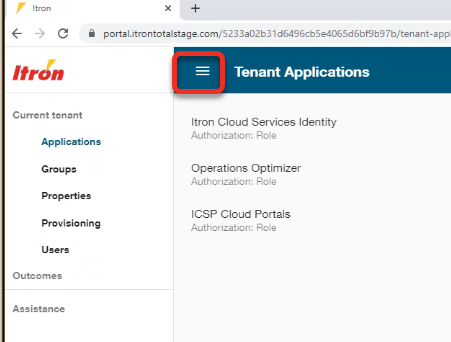
The left-hand menu opens.
-
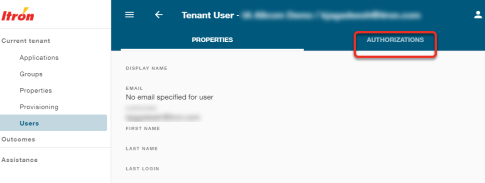
Click Users.
-
Click the user's username.
-
Click Authorizations.
-
In the header, click Action menu (
 ) and then click Edit authorizations.
 -
Under Itron Cloud Services Identity, select the Tenant Admin checkbox.
-
Click Save.