IEE Install Suite
The different components within IEE, ISAIM, and Edge Explorer can now be installed through the IEE Install Suite. IEE Install Suite combines the individual installers into a single installation experience. For the July 15, 2022 release, IEE 10.3, ISAIM 2.1.2, and Edge Explorer 2.4 are bundled into a single release package (IEE_10.3_07_2022.zip). The IEE Install Suite can be found in this release package.
Module Selection
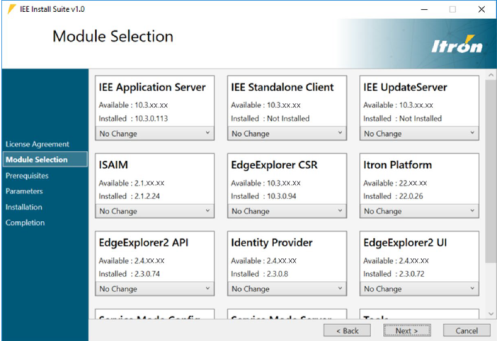
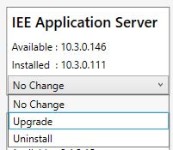
The Module Selection step lists all modules that can be installed. For every module, IEE Install Suite shows the version Available to install, and the version that is currently Installed on the server (if any) and provides the relevant options.
|
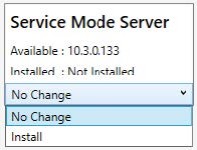
|
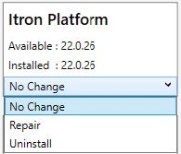
|
Options:
|
Prerequisites
If any of the selected modules require prerequisites, they will be validated in the Prerequisites step. The list of prerequisites varies depending on which module(s) were selected on the previous step. If any of the prerequisites are not present, the installer will install the missing prerequisites during the Validation process.
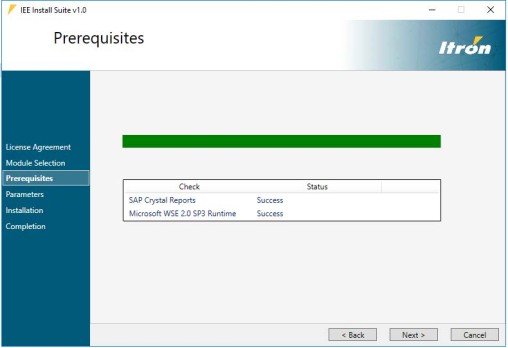
Prerequisites for IEE Application Server Installation
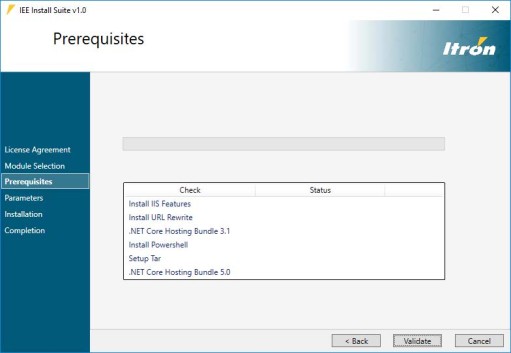
Prerequisites for Edge Explorer 2 Installer
Parameters
In the Parameters step, the user is prompted to enter all the required installation parameters. If multiple modules have been selected, each module is shown as a separate tab, each with its own set of parameters.
If multiple modules share the same parameter, the user only needs to specify it once, after which the parameter will be applied to all other applicable modules. If a required parameter is not specified, the user will not be able to proceed to the next installation step and will be prompted to specify the missing required parameter.
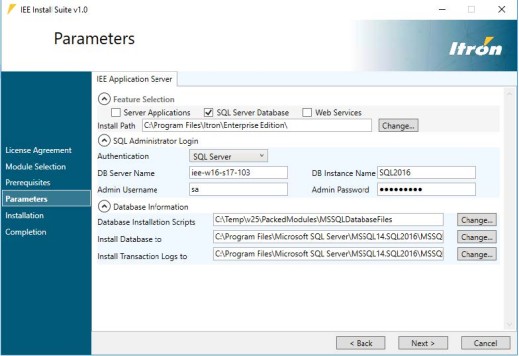
Parameters for IEE Application Server Installation
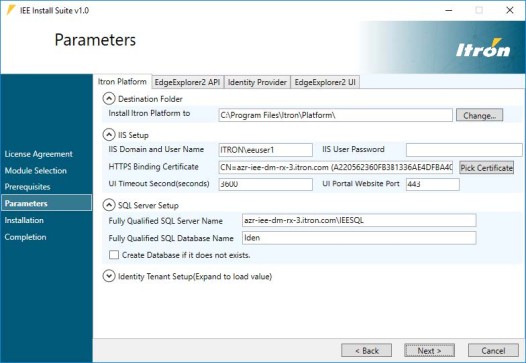
Parameters for Edge Explorer 2 Installation
Installation
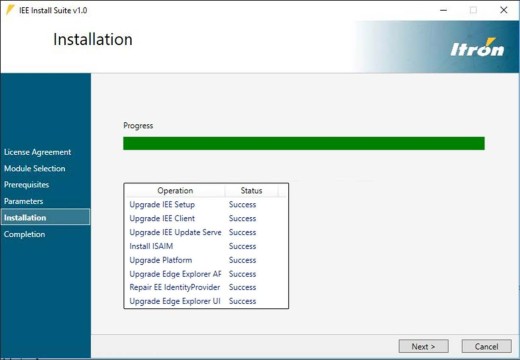
In the Installation step, all the selected modules are installed in the correct order with the specified parameters. The installation progress bar advances each time a module is successfully installed.
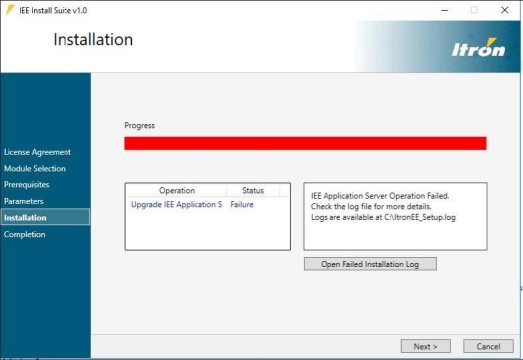
At the end of the installation, the status is indicated (success or failure). If a module installation fails, the remaining installation is aborted. The failure is shown, and the user can access the installation log to troubleshoot the issue.