Special configurations for the Client Update Server
Required for the following:
-
Client Update Server
To support installation from the IEE Client Update Server, add the following application extensions. Also disable the handler mapping entry for CGI-exe. If you do not disable the CGI-exe handler mapping and enable the .deploy and .manifest extensions, then the IEE Clients do not install when you click Install from the Client Update Server URL.
-
.deploy mime type. Add the .deploy mime type to support installing the IEE from Client Update Server URL.
-
.manifest mime type. Add the .manifest mime type to support installing the IEE from Client Update Server URL.
-
CGI-exe. Disable the CGI-exe handler mapping.
Use the Internet Information Services (IIS) Manager to map the .deploy and .manifest file extensions.
Adding the application extension mapping types
- Go to Start > Windows Administrative Tools > Internet Information Services (IIS) Manager.
-
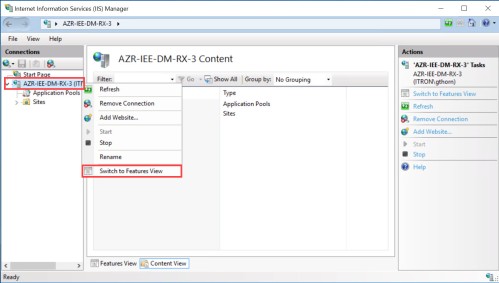
In the left Connections navigation pane, right-click the applicable server and select Switch to Features View (if not already on the Features view).
-
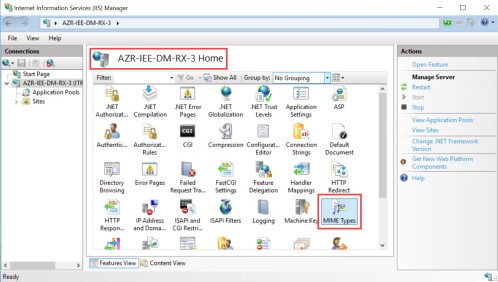
Under <Server Name> Home, double-click MIME Types.
-
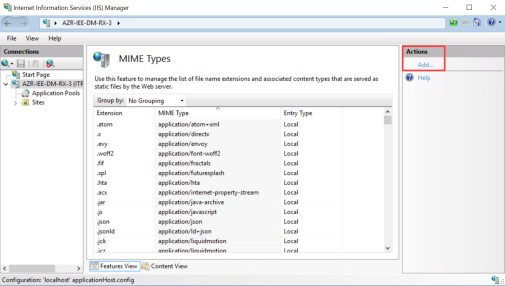
In the right the Actions pane, click Add.
-
In the Add MIME Type dialog, configure the following parameters:
File Name Extension: .deploy
MIME Type: application/octet-stream
- Click OK.
-
Add another MIME type and configure the following parameters:
File Name Extension: .manifest
MIME Type: application/x-ms-manifest
- Click OK.
Disabling the CGI-exe Handler Mapping Entry
- Go to Start > Windows Administrative Tools > Internet Information Services (IIS) Manager.
-
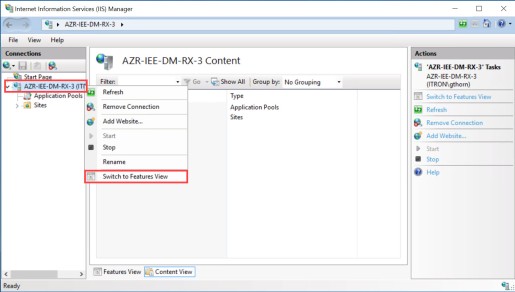
In the left Connections navigation pane, rRight-click the applicable server and select {server name} > Switch to Features View (if not already on the Features view).
-
Under <Server Name> Home, double-click Handler Mappings.
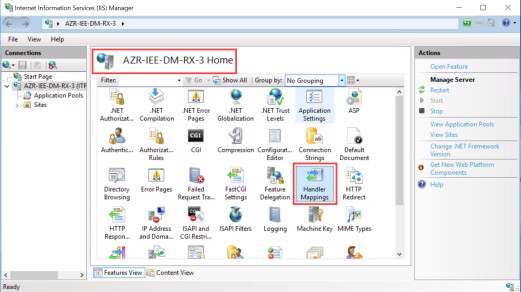
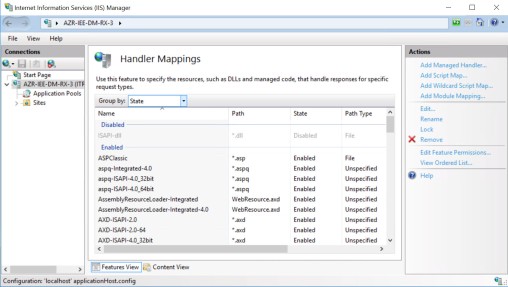
The Handler Mappings user interface appears.
-
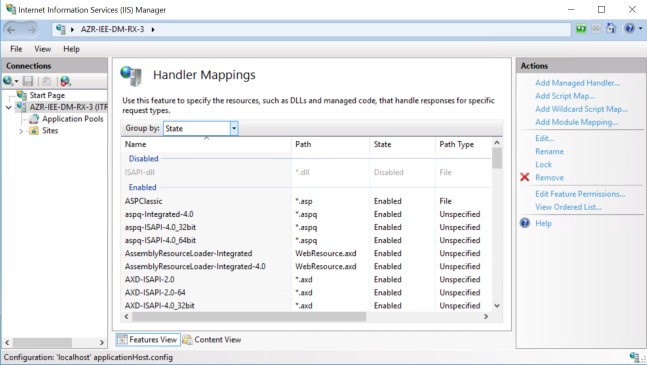
From the Action pane, select Add Module Mapping.
-
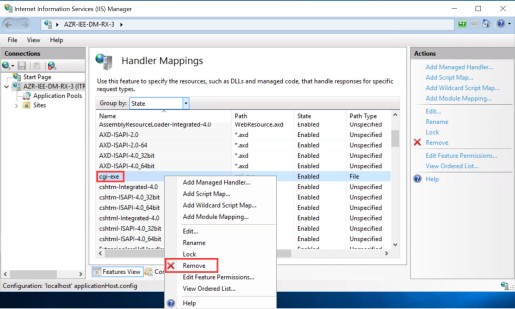
In the Handler Mappings pane, under the Enabled list, locate cgi-exe. Right-click cgi-exe. and select Remove.
-
Verify that cgi-exe displays in the Disabled list.