Enabling TCP/IP and Named Pipe SQL Server Protocols
Use the following procedure to enable SQL Server Protocols:
-
Navigate to SQL Server Configuration Manager.
-
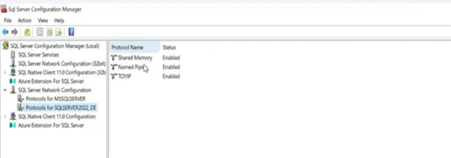
Select Respective Protocol on the SQL Server Network Configuration.
-
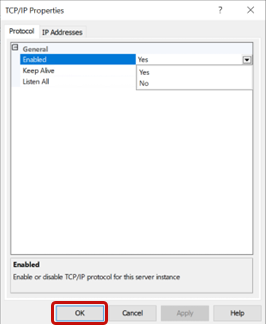
Update the properties for the protocol.
-
Click OK.
-
Verify the properties are updated.
-
Restart the Microsoft SQL Service (MSSQL).