Register channel display code
This code table defines values for meter register display codes. Use one or more characters for the display code ID.
Configuring the Register Channel Display Code Table
-
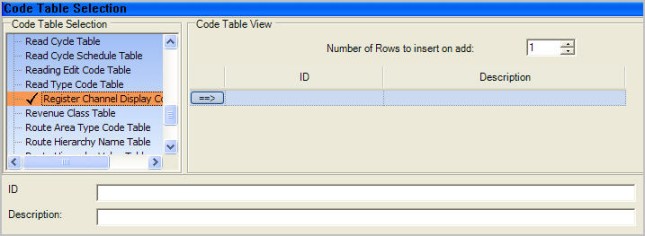
Go to System Administration > System Admin > Code Table Setup.
-
From the Code Table Selection list, select Register Channel Display Code Table.
-
Use the Number of rows to insert on add dropdown menu to select the number of blank rows to add to the code table.
-
From the Code Table Setup menu, click Add. The new rows appear in the table.
-
Click
 to select each blank row added and configure the following parameters:
-
ID
-
Description
-
-
Click Save.
Note: After updating any code table, you must restart the IIS service for the changes to take effect.