Search
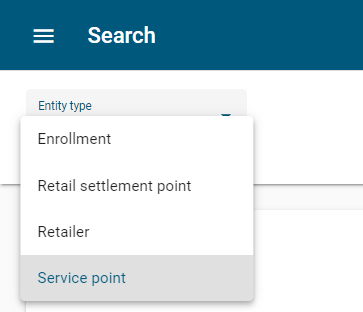
Accessible from the main menu, the Search page allows you to search by an entity type: Enrollment, Retail settlement point, Retailer, and Service point.
Note: The Search interface is only available to users who have the View Customer Configuration permission. For users without this permission, the main menu does not contain an entry for this interface.
The page contains the following cards:
-
Query. This card lists one or more rows of search criteria. By default, this card has one blank row. For more information, see Performing an entity search.
-
Results. This card lists entity IDs associated with a search. By default, this card is blank. For more information, see Results.
The card supports the following actions:
-
To maximize the card, click Show full page (
 ). This option is disabled when the card is collapsed.
 -
To return the card to the original view, click Restore card (
 ).
). -
To hide the data on the card, click Collapse (
 ).
). -
To show the data on the card, click Expand (
 ).
).
Related topics: