Channels table
The Channels table consists of the following columns:
-
Service Point
-
Channel
-
ID
By default, the service point rows on the table are expanded to show the channels associated with each service point.
-
To hide the data on the card, click Collapse (
 ).
). -
To show the data on the card, click Expand (
 ).
).
The table supports the following actions:
-
To select one or more Channels on the table, select the checkbox next to the Channel in the table column. The number of selected channels appears on the card.
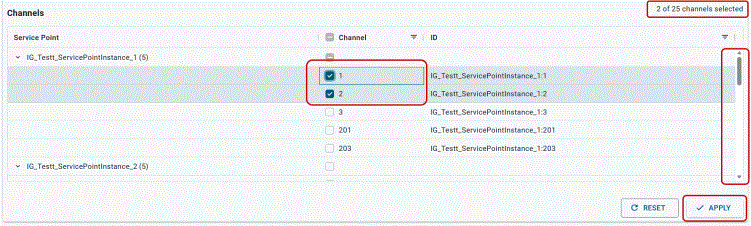
Tip: The horizontal and vertical scroll bars appear when additional rows and columns are added to the card.
-
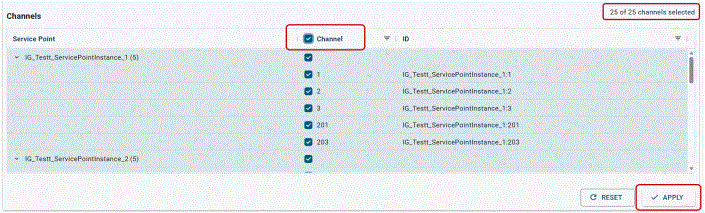
To select all channels, select the checkbox next to Channels in the table column.
-
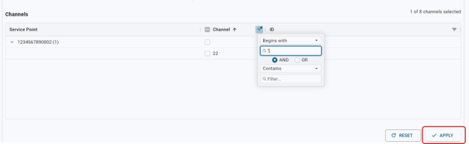
Click Apply to update the table. The Validation results card appears. For more information, see Validation results card.
-
-
To filter the Channel column and ID column, select Filter (
 ),
enter all or part of the value, and then press Enter. The results appear on the table. To
clear the results, clear the filter box.
),
enter all or part of the value, and then press Enter. The results appear on the table. To
clear the results, clear the filter box.-
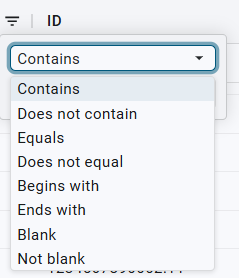
The Channel column and ID column can be filtered using the dropdown menu, AND, OR, and filter search options.
-
When you enter data in the Search box, additional search options appear.
-
When one or more search options are applied, the Filter icon (
 ) changes to indicate that filters are applied.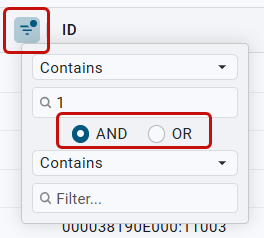
-
Click Apply. The table updates based on the filtered criteria.
-
-
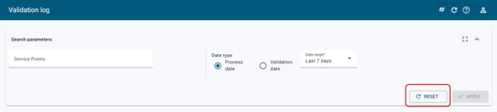
Click Reset to clear the data on the card.
Related topics: