Work Order Manager integration
The Workflow Manager solution supports integration with the Work Order Management system, so that it can seamlessly connect to the utility’s back-office and field operations.
Two types of integrations are supported:
-
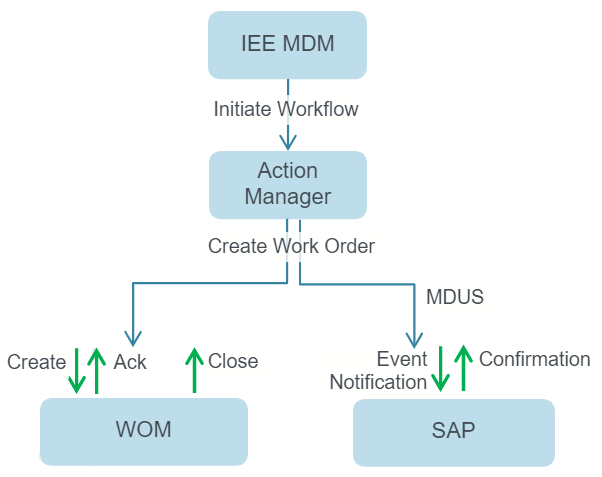
The utility can use the standard interfaces provided by Action Manager to integrate the solution with their Work Order Management system. Through these APIs, Action Manager can create a work order, which the Work Order Management System can then acknowledge and eventually notify Action Manager when the work order is closed.
-
Utilities that have SAP as their CIS can enable integration through the standard MDUS interface. Action Manager sends an event notification to SAP. On the SAP side, each event code can be mapped against specific business processes, which will be triggered upon receiving the event notification from Action Manager.
With this integration, you can then define a workflow in Action Manager which includes an automated step to create a work order. If an exception clears (for example, because it has been resolved by an operator manually), you can then use this integration to automatically send a cancellation to the Work Order Management system.
For details on installing and configuring Action Manager, refer to the Action Manager (AM) Installation and Configuration Guide.
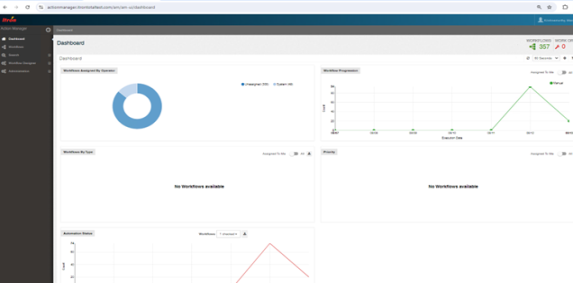
The following screenshot shows the monitoring screen in Action Manager that you can use to:
-
View all work orders that are still open
-
See work order cancellations that failed for various reasons
-
View “Work Orders by Aging” graphically to see how long they have been open
-
View the breakdown of “Work Orders by WOMS,” which is useful when the solution is integrated with multiple work order management systems