Registering for the Customer Portal as a utility customer
-
On the login page, click Register here next to New user.
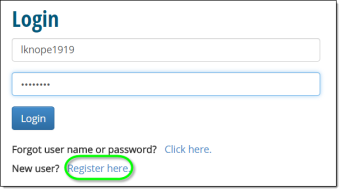
-
Type your account number in the Account number field.
-
Type your meter number in the Meter number field.
-
Type your username in the Create user name field.
Note: Passwords must be a minimum of seven characters, and it must contain at least one of the special characters !, #, *, or @.
-
Type your password in the Create password field.
-
Type your password in the Confirm password field.
-
Type your email address in the Email address field.
-
Type your email address in the Confirm email address field.
-
(Optional) Type your first name in the Account holder's first name field.
-
(Optional) Type your last name in the Account holder's last name field.
-
If necessary, select a secret question from the Secret Question menu.
-
If necessary, type your answer to the secret question in the Answer field.
-
Click Register.
Itron Analytics marks fields that need attention with error messages. If your submission was unsuccessful, address any marked fields, and click Submit again.