Renaming the Region and Division fields
-
On the Electric page, click the General tab.
-
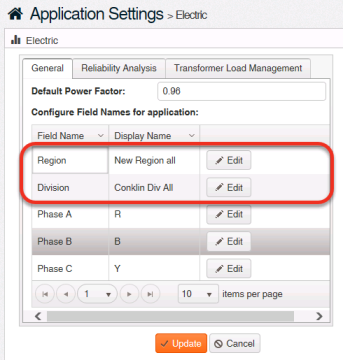
In the Configure Field Names for application table, click Edit in the Region or Division row, depending on which you want to rename.
-
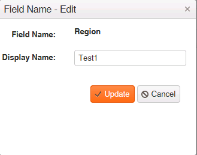
In Display Name, type the wanted term.
Tip: The text you enter here is the text that will appear in all Electric pages where Region (if you are editing the Region field) or Division (if you are editing the Division field) currently appear.
-
Click Update.
-
Click Update.