Renaming the Phase fields
-
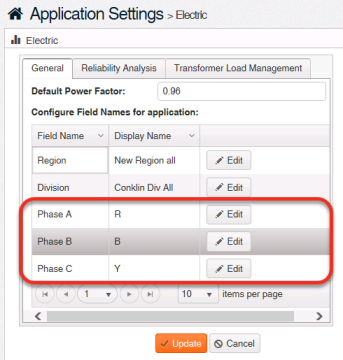
On the Electric page, click the General tab.
-
In the Configure Field Names for application table, click Edit in the circuit phase row (Phase A, Phase B, or Phase C), depending on which phase you want to rename.
-
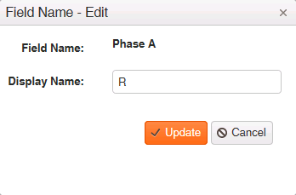
In Display Name, type the term to replace the phase name. The value must be unique, and up to three characters are allowed. Special characters are not permitted.
Tip: The text you enter here is the text that will appear in all Electric pages where the circuit phase currently appears.
-
Click Update.
-
Click Update.