Deleting an analytic event threshold
-
On the Analytic Events page, click Edit for the Event Category and Event Code combination you want to delete a threshold from.
-
(Optional) Clear the Enabled checkbox to disable all thresholds for the selected Event Category. The Enabled checkbox is selected by default.
-
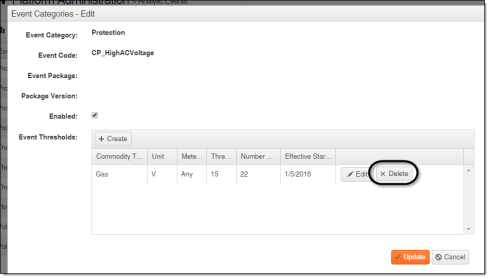
In the Event Thresholds table, click Delete for the threshold you want to remove.