Viewing the application data
The Advanced Temperature Monitoring application's outcome data appears in the DI App Platform as Itron Analytics.
Tip: For more information about Itron Analytics, see the Itron Analytics Release Notes and Analytics Portal Help.
-
Sign in to the Itron Analytics Portal and select Distributed Intelligence Alarms.
-
Select the Temperature Monitoring KPI.
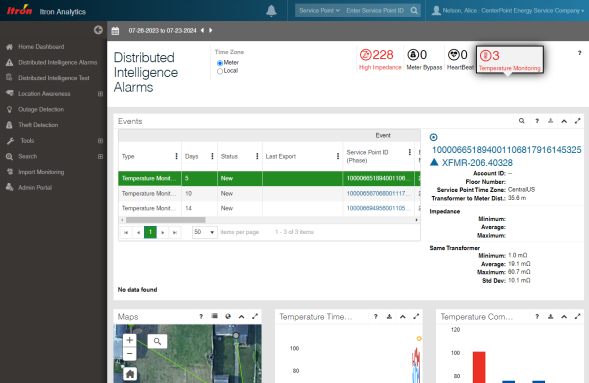
Figure 7 Advanced Temperature Monitoring user interface in the Distributed Intelligence Alarms page